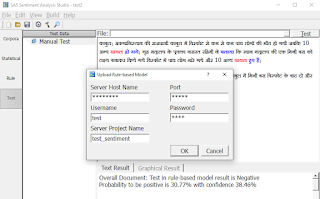

Using the SAS® Sentiment Analysis Studio

Every comment, blog, article or social media post etc. has their own sentiment. Sentiment analysis is contextual mining of text which identifies and extracts subjective information in source material, and helping a business to understand the social sentiment of their brand, product or service while monitoring online conversations. However, analysis of social media streams is usually restricted to just basic sentiment analysis. Sentiment should be Positive, Negative or Neutral.
For analyzing the Sentiment SAS introduced SAS Sentiment Analysis Studio. By using SAS Sentiment Analysis Studio we can simply review the sentiment of any text content.
Below is the icon of SAS Sentiment Analysis Studio:
Figure 1: Sentiment Analysis Studio Icon
By opening Sentiment studio below window will appear.
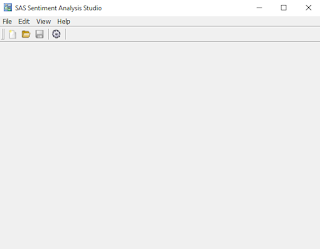
Figure 2: Initial Screen
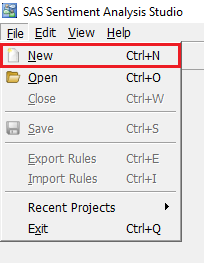
Figure 3: Creating New Project
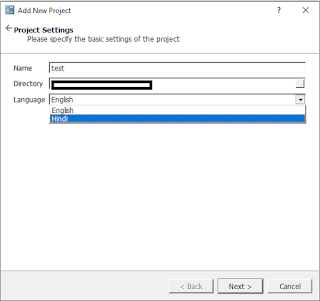
Figure 4: Project Basic Settings
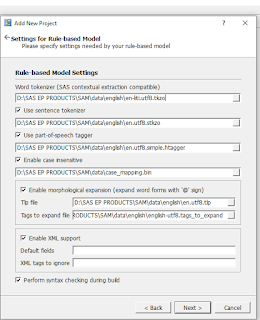
Figure 5: Rule-based Model Settings
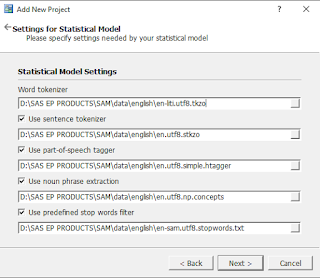
Figure 6: Statistical Model Settings
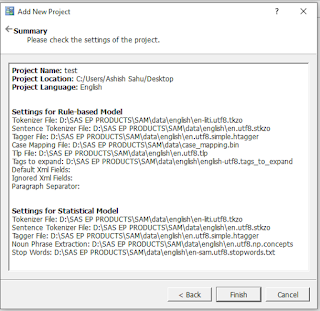
Figure 7: Project Summary
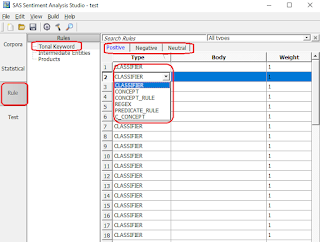
Figure 8: Sentiment Rules
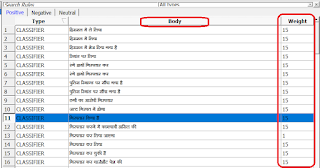
Figure 9: Assigning Weights to Rules
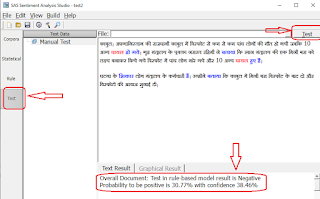
Figure 10: Testing of Rules
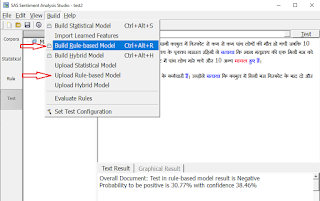
Figure 11: Building Rule-based Model