
Using the SAS® Content Categorization Studio
n my last blog, I have covered Text Analysis and Text Parsing. In this blog I am going to cover Text Analystics module i.e. SAS Content Categorization Studio. By using SAS Content Categorization Studio we can categorize the unstructured text data. This process is known as building taxonomy.
By building Taxonomy we can identify major categories where the customer is trying to focus.
For example, if there is water problem the SAS Content Categorization Studio helps to categorize all problems related to water so that the customer can easily find the major areas to focus.
Below is the SAS Content Categorization icon:

Figure 1: Content Categorization Icon
Double click on icon to open the tool. For creating a new project click on File>>New Project, if we want to edit existing project by clicking on File>>Open Project.
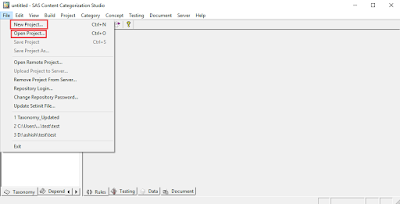
Figure 2: Creating New Project
After clicking New Project assign a project name and project location path. The tool is user friendly and hence user can fill required information as shown in the screen shots below:
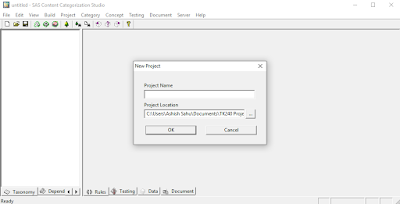
Figure 3: Project Name
The process for creating new project:
New Project>>Project Name>>Project language>>right click on Top to add Category and define category name.
In the below screen we are defining a category name:
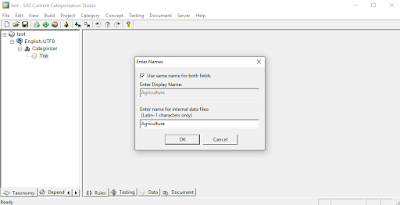
Figure 4: Category Name
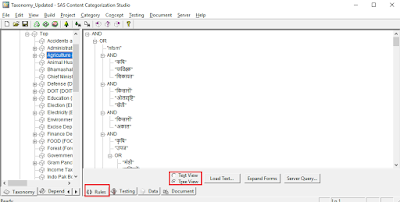
Figure 5: Rules Updation
Click on Document and paste the content then click on Test as shown below:
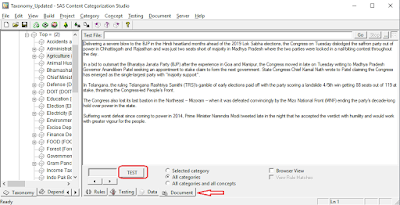
Figure 6: Document Testing
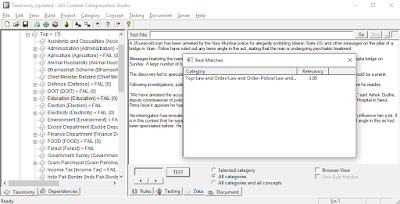
Figure 7: Tagged Category
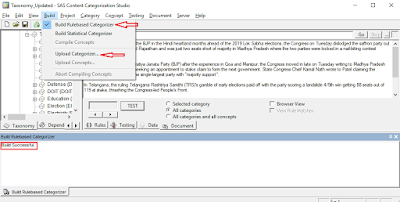
Figure 8: Build Rulebased Categorization